The Real AI Shift: Agents Are Moving Inside the Tools
Palmier Pro hit 3,500 GitHub stars in 48 hours—not because it reinvented editing, but because it ships an MCP server. Here's why that matters.
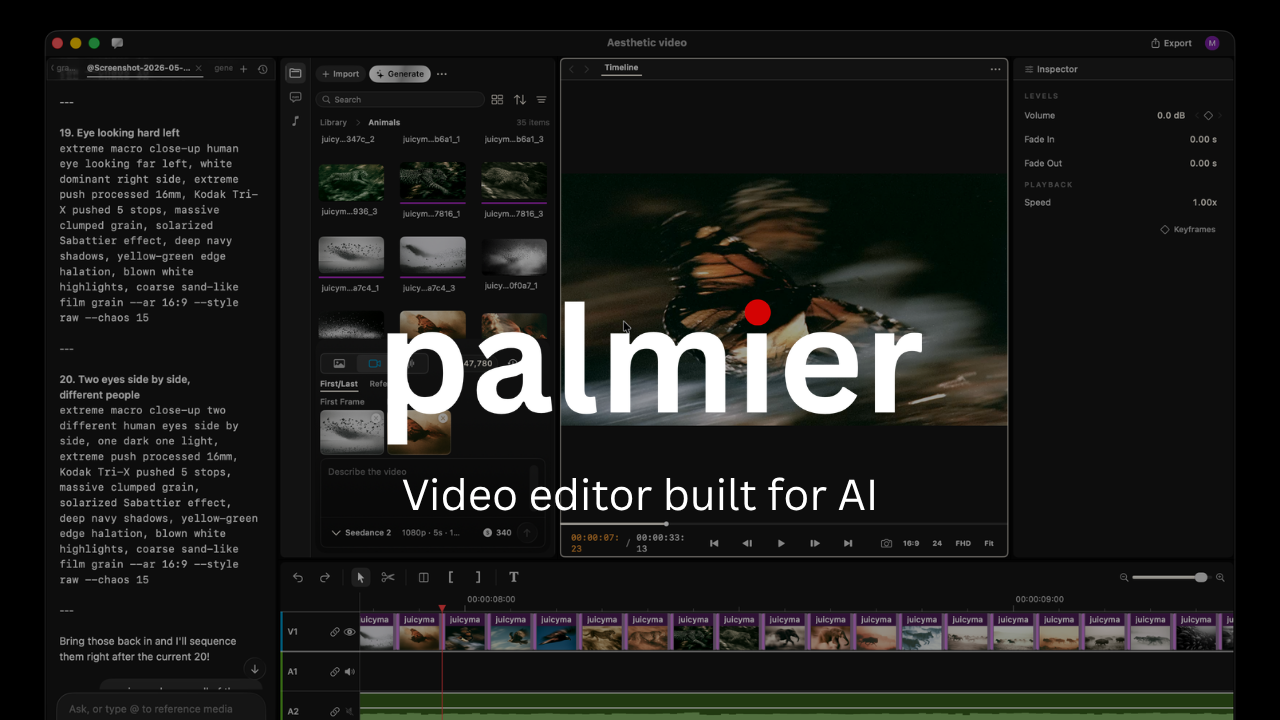
Palmier Pro, an open-source macOS video editor, recently hit 3,500 GitHub stars in 48 hours.
Not because it reinvented the timeline. Not because its interface was dramatically better. Not because it introduced a revolutionary editing feature.
It gained traction because it ships an MCP server.
That sounds like a technical detail. It isn’t.
The Gap Between AI and Your Actual Work
Most AI-assisted workflows share the same awkward shape: you go somewhere else to get help, then bring that help back to where you’re working.
You ask an AI to generate text. You copy it into the document.
You ask it to suggest code. You paste it into your editor.
You ask it to plan a video. You manually import the clips, arrange the timeline, trim the footage, add captions, and export.
The AI can advise. It can generate. It can describe what you should do next. But it’s separated from the application where the actual work happens. It can’t see your current timeline. It can’t act on your open project. It can’t touch the state that matters.
An MCP-enabled application changes that relationship entirely.
Instead of sitting beside the video editor, an agent—Claude, Codex, Cursor, or anything else—can interact with the editor itself. It can place a clip on the timeline. Move it. Trim it. Adjust timing. It can edit a sequence instead of just describing how the sequence should be edited.
That is the actual shift.
Assistant vs. Agent: The Distinction That Matters
The word “agent” gets overloaded. A chat window connected to a language model gets called an agent. It usually isn’t.
An assistant explains what steps to follow. An agent executes those steps.
An assistant might say: Place the opening clip at the beginning of the timeline, trim the first two seconds, add the screen recording after it, and insert a title card between them.
An agent connected to the editor makes those changes. Directly. Without you translating the instructions into manual actions.
That gap looks small when a task has two steps. It becomes significant when a real workflow has dozens. Real creative and technical work is iterative—you make a change, inspect the result, adjust timing, compare alternatives, undo something, refine. For an agent to be genuinely useful in that loop, it needs more than the ability to generate text. It needs access to the environment where decisions are being made. It needs to read state, understand available actions, perform operations, and continue from the result.
Why MCP Is the Right Abstraction
The Model Context Protocol gives applications a standard way to expose context and capabilities to AI systems.
The important word is standard.
Without a shared protocol, every AI integration is a custom project. One application builds its own plugin system. Another creates a private API. A third develops a dedicated integration for one model provider. Each requires separate implementation, maintenance, and documentation.
MCP offers a consistent interface. An application exposes resources that an agent can read and tools that an agent can call. The agent doesn’t need to understand every internal implementation detail—it needs a clear description of what context is available and what actions are permitted.
For a video editor, those actions might include importing media, listing timeline items, placing and trimming clips, modifying properties, adding text, reading project metadata, and exporting sequences. The specific commands matter less than the architectural change they represent: the editor is now designed to be operated by an agent, not only by a human clicking through a UI.
The Interface Is No Longer the Only Product
Software has competed on interfaces for decades. A better layout, faster navigation, more intuitive controls—these could make one product meaningfully better than another. They still matter. Humans will keep using interfaces directly.
But as agents become capable of operating software, the visible interface becomes one of two ways a product is used.
The second is the agent-facing interface: structured access to application state, clearly defined actions, predictable outputs, permission controls, and the ability to inspect and reverse changes. A product that agents can operate reliably may eventually be more valuable than a slightly more polished product that agents can’t touch.
Software now has two users:
- The person doing the work.
- The agent helping that person do it.
The strongest products will design for both.
This Pattern Applies Everywhere
Video editing makes the shift easy to see because the work is visual and repetitive. But the same architecture applies to almost any tool.
Design tools: An agent could inspect layers, generate variants, resize assets across formats, and apply design system rules—working with the actual editable project, not generating static images beside it.
Development environments: Already moving this direction. Agents can inspect repositories, modify multiple files, run tests, read compiler errors, and update their approach based on output. The IDE is becoming an execution environment for agents, not just a place where suggestions appear.
Spreadsheets: An agent could understand workbook structure, clean data, build formulas, update models, and explain unexpected results—without requiring users to copy data into a separate chat window.
Analytics platforms: Instead of telling you which filters to apply, an agent could query the live data, modify dashboards, compare periods, investigate anomalies, and produce a report from the actual system.
Project management: An agent could read current status, identify blocked tasks, create follow-ups, assign work, update deadlines, and summarize changes—as a participant in the workflow, not a separate tool you consult.
The value isn’t adding a chatbot to each application. It’s giving agents meaningful access to context and capabilities that actually exist inside the tool.
The Next Competitive Advantage
Adding AI to a product used to mean adding a text-generation feature: write a description, summarize a document, generate a title, rewrite a paragraph. These features can be useful. They’re also easy to reproduce.
The next competitive advantage is harder to copy:
Can an agent understand what’s happening inside the product? Can it safely perform meaningful actions? Can it complete an entire workflow rather than one isolated step? Can users bring their preferred agent and connect it to your application?
Products that answer yes become more useful without building every AI capability themselves. They provide the environment, context, and controls. The agent provides the reasoning. This creates a different kind of software ecosystem—not every product building its own closed AI assistant, but applications becoming open environments in which multiple agents can operate.
What Building for Agents Actually Requires
Treating agent accessibility as a product capability means thinking deliberately about which parts of the product should be readable and actionable. A few questions worth answering before exposing an MCP surface:
- What context does the agent need to be useful?
- What actions can it perform, and at what scope?
- Which actions require explicit user approval?
- How are changes logged and attributed?
- Can destructive operations be reversed?
- How does the user understand what the agent changed?
- What happens when an action fails halfway through a multi-step sequence?
These aren’t only AI questions. They’re product design, API design, permission, and safety questions. A poorly designed agent integration creates confusion or damage. A well-designed one removes hours of repetitive work while keeping the user in control.
The Transition Is Already Happening
The 3,500 stars in 48 hours aren’t really about a video editor. They’re a signal that developers are excited about something more specific than AI-generated output. They’re excited about AI systems that can participate in real workflows.
AI started as a destination—a separate chat window where we went to ask questions. Then it became a companion, a sidebar beside the work. Now it’s becoming an operator inside the software itself.
Agents are moving from beside the tool to inside the tool.
That’s a much larger change than another AI button.